Hi,
I’m trying to route Claude Code API requests through Lens Loop for local development and request tracing.
I’d like to understand the proper way to set this up.
What I’ve tried:
- Lens Loop is running locally on port 31300 with the Anthropic endpoint available at
http://localhost:31300/anthropic/v1
- I set the environment variable: export ANTHROPIC_BASE_URL=http://localhost:31300/anthropic/v1
- I started Claude Code and ran some commands
Questions:
- Is ANTHROPIC_BASE_URL the correct/supported environment variable for Claude Code to route requests
through a custom endpoint, or should I be using a different approach (like HTTP_PROXY/HTTPS_PROXY)?
- What’s the recommended way to persist this configuration so I don’t have to manually export the
variable every time I start a new terminal session?
- Once configured, how can I verify that Claude Code requests are actually flowing through Lens Loop?
What should I look for in the Loop dashboard?
- Are there any known issues or gotchas with this integration I should be aware of?
- Is this a supported/documented workflow, or is this an edge case use case?
Hello @sramadugu1 — thanks for contacting us!
1) Is ANTHROPIC_BASE_URL the right variable?
Yes. Claude Code supports routing through a custom Anthropic-compatible gateway via ANTHROPIC_BASE_URL. This is the intended way to point Claude Code at a local proxy/gateway, so Lens Loop should work here.
Reference: https://code.claude.com/docs/en/third-party-integrations#configuration-overview
2) How to persist it
This depends on your environment and shell.
Example on macOS (zsh):
Set for the current terminal session:
export ANTHROPIC_BASE_URL="http://localhost:31300/anthropic"
Persist it for future sessions:
Add this line to your ~/.zshrc (or ~/.bashrc if you use bash):
export ANTHROPIC_BASE_URL="http://localhost:31300/anthropic"
Then reload your shell:
source ~/.zshrc
3) How to verify traffic / where traces show up
Once configured, run a few Claude Code commands and check Lens Loop.
- Because
x-loop-project isn’t set in Claude Code request headers, traces will show up automatically under the Default project in Lens Loop.
- Please refer to the screenshot I attached — that’s the expected location.
Important note:
We’ve identified a bug in our Anthropic proxying code, so the current released beta doesn’t capture Anthropic traces correctly. The fix is already done and will be delivered via automatic update in the next beta release.
4) Recommended Lens Loop docs
For a full walkthrough of traffic capture and supported formats, please review:
https://docs.k8slens.dev/lens-loop/getting-started/capture-traffic/#capture-traffic
5) Supported workflow / expectations
-
Claude Code side: this is a supported workflow. They explicitly document gateway/proxy usage through ANTHROPIC_BASE_URL:
https://code.claude.com/docs/en/llm-gateway
-
Lens Loop side: we don’t specifically document “Claude Code proxying” as a first-class workflow, but it works because Claude Code allows proxying through a custom Anthropic base URL.
1 Like
followed the same steps but dont see anything showing up, will wait for the update and try again.
Hello @sramadugu1 — quick update for you!
We’ve released a new beta that fixes this issue. Please see the release notes here:
https://forums.k8slens.dev/t/loop-v2025-12-08-beta-release/6702
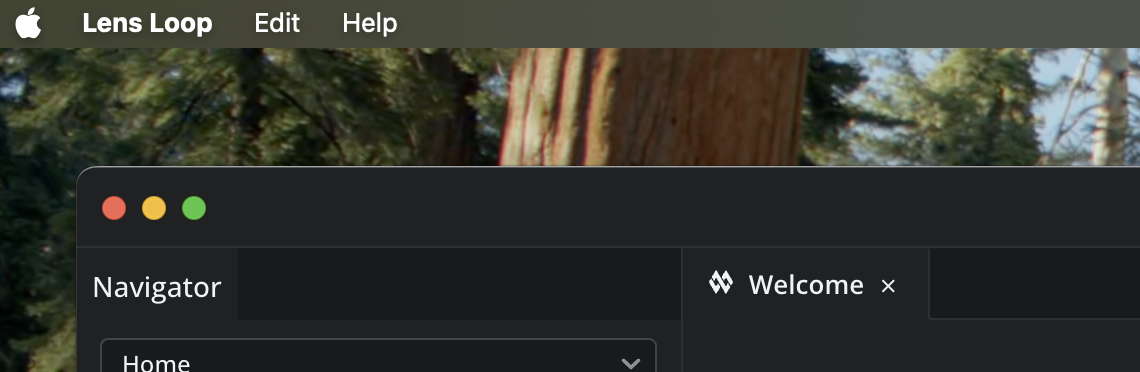
To make sure you’re on the latest version, you can manually trigger the update check on
Lens Loop → Check for Updates…
On macOS, this option is located in the app menu, as shown in your screenshot:
Once updated, Anthropic proxying and tracing should work as expected.