Hi everyone,
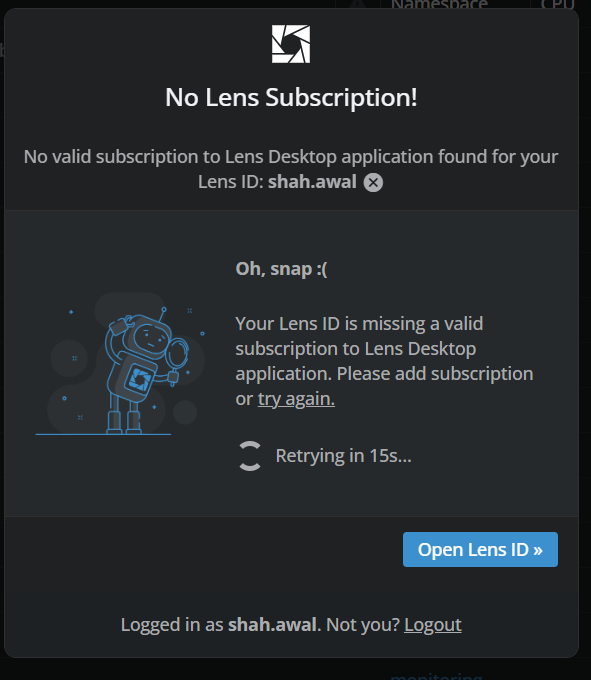
The Lens Desktop application suddenly started showing the following popup:
“No Lens Subscription! No valid subscription to Lens Desktop application found for your Lens ID.”
If I open the Lens web application, I don’t see any actionable option to resolve this or activate a subscription. Is this related to some new subscription enforcement or a feature currently being tested?
According to the pricing information on the Lens website:
“Use of Lens K8S IDE by organizations with over $10 million in annual revenue or funding requires a paid subscription (Plus, Pro or Enterprise), except for evaluation for up to 30 days.”
Our organization falls under this criteria, so we’re not sure why we’re suddenly seeing this message.
Could someone please guide us on how we can resolve this and continue using Lens Desktop?
Please try to Logout and re-activate Lens again.
I’m seeing this behavior as well within the last two days, tried logging out / logging in on both the desktop app and my browser session several times. Ended up creating a new lens ID with a separate email address to see if it’s an account specific issue rather than an issue with code and that seems to be the case.
For an additional troubleshooting data point, at a previous role/job, I set up an organization billing plan and had a premium subscription in 2024. I subsequently left that role so no longer met the revenue / licensing requirements for a premium subscription and let it lapse in 2024. As I was the only person in that organization using Lens, I am the sole member of that organization and do not have the ability to delete the organization or leave it from my Lens id management page, but I’ve been able to use the personal license for Lens for ~2 years without issue. I’m wondering if something recently changed that shows my lapsed organizational license as requiring renewal instead of switching back to the personal use license, which are the only features I require at this point.